
Download your statement.
No formatting. No mapping. Statement Sync picks it up and automatically normalizes statement columns.
MEDICARE COMMISSION TRACKING SOFTWARE
Know what’s paid. See what needs a follow-up. Stay on top of the book you worked to build.
Commissions, true-ups, retention, and carrier statements. Finally, one clear workspace.
Then $49/month · Payment method required · Cancel anytime
See your income, carrier performance, and next steps in one clear workspace.
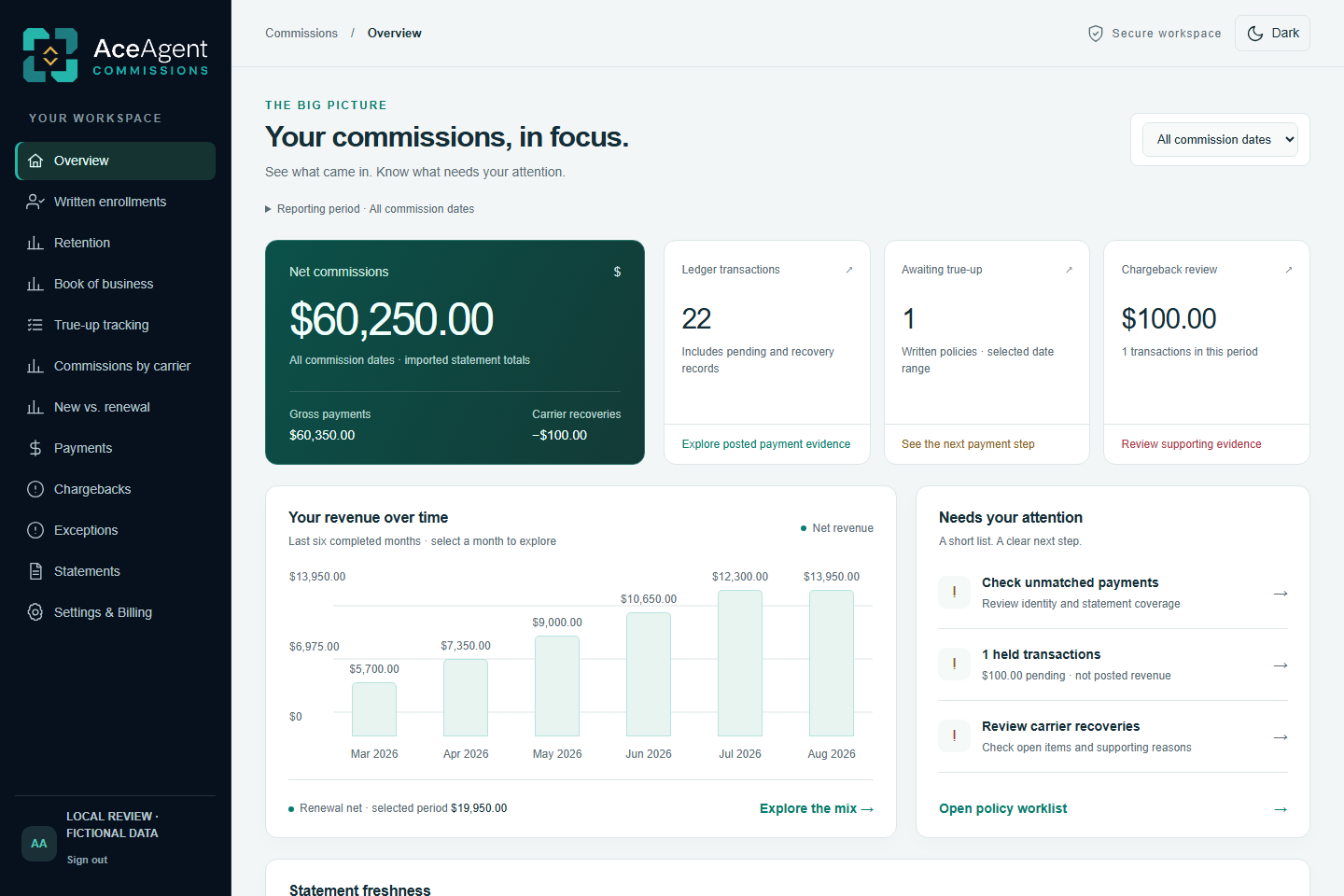
Actual redesigned interfaceFictional sample data · Preview only
LESS SPREADSHEET. MORE CLARITY.
Use the supported statement your carrier gives you.
No reformatting. No custom import templates.
No formatting. No mapping. Statement Sync picks it up and automatically normalizes statement columns.
Statement Sync automatically organizes your downloaded statements in your chosen folder and imports it to AceAgent. No formatting, No mapping.
Review payments, investigate gaps, and see where your commission revenue comes from.
FOLLOW THE PAYMENT, NOT THE PAPERWORK.
Writing the policy is only the beginning. Keep matched payments and enrollments needing a closer look in the same view.
Your connected CRM workflow sends new enrollments into AceAgent’s Written Enrollments. As you import carrier statements, AceAgent checks for matching payments—so you can follow each enrollment from written business to paid commission.
Compatible CRM workflow and one-time setup required. GoHighLevel tested.
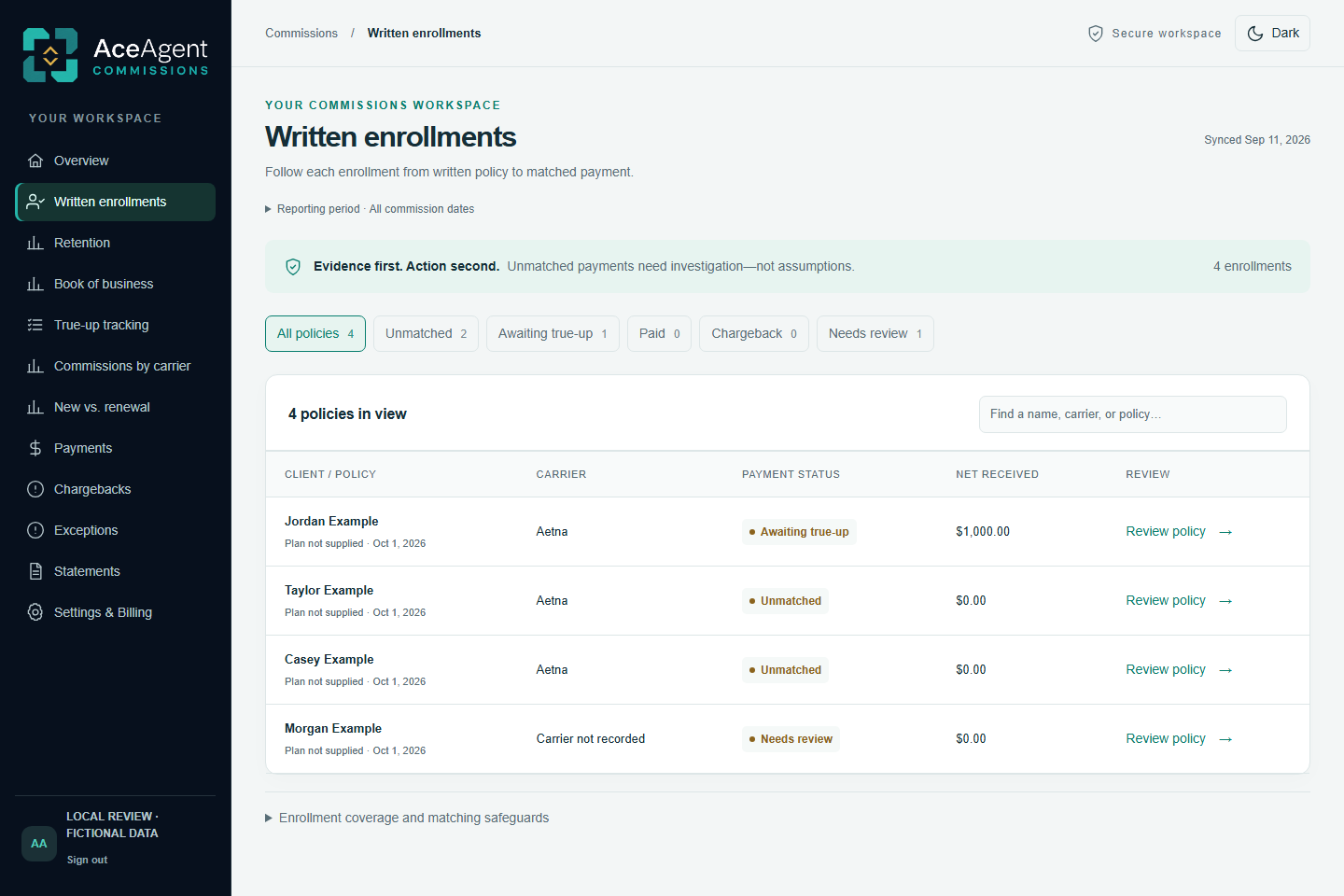
Track the initial payment and true-up separately for eligible enrollments you choose to follow.
THE LONG VIEW OF YOUR BUSINESS
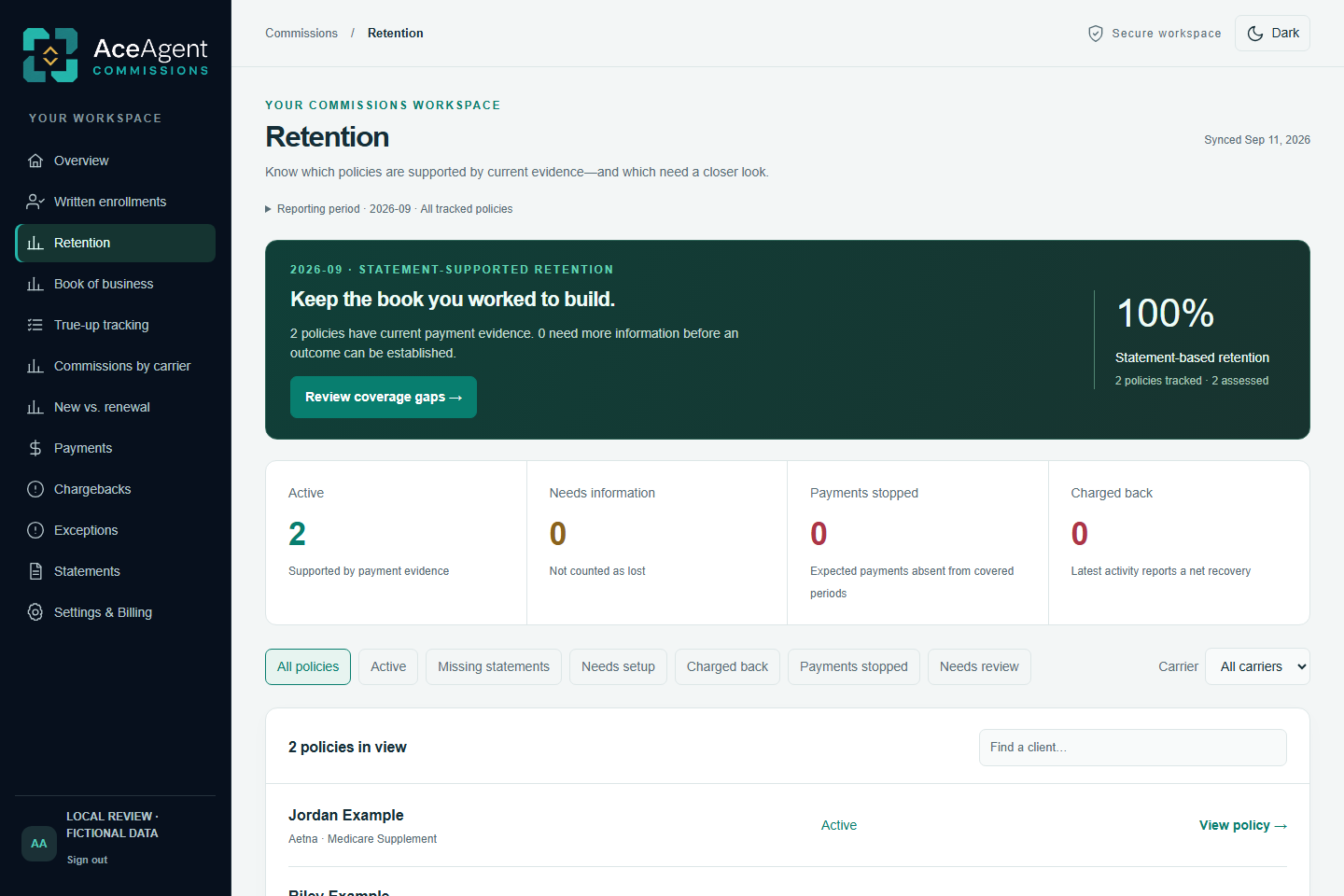
Understand retention through payment evidence. Separate policies with current evidence from those that need a closer look.
Compare your client or policy export with the carrier’s book of business. Review differences and keep a record of your follow-up.
A missing policy or payment does not prove termination.ACEAGENT STATEMENT SYNC
Sign into your carrier portal and download your statement as usual. With Statement Sync set up and watching, your supported file is imported and organized by carrier and year.
Install the Windows desktop app, connect your workspace, choose your download and statement folders, and start watching. You can enable startup with Windows or pause watching anytime. Manual browser uploads are also available.
View the desktop app ↗Windows desktop app included. You control carrier sign-ins and downloads.
Try a sample update to see the satisfying part.
Simulation only. No files uploaded or carrier portals opened.
ONE PLAN. YOUR FULL COMMISSIONS WORKSPACE.
Bring your carrier statements together, match payments to written enrollments, and spot payment gaps and chargebacks—without comparing spreadsheets by hand.
Create your account, activate your free trial, and set up your workspace. Import your statements to see your payments by carrier and identify policies that need a closer look.
After your 14-day free trial. One subscription.
Start your 14-day free trialPayment method required. Renews at $49/month after the trial. Cancel before it ends to avoid the first charge.
A FEW GOOD QUESTIONS
Real answers. No fine-print surprises.
AceAgent shows which carriers are current, due soon, or need an update based on their statement schedules and accepted statement history. You can see what to download next before treating a missing commission as an unpaid enrollment. Statement tracking shows what needs attention; the AceAgent Statement Sync Desktop app handles the files after you download them.
No. Use a supported commission statement as it comes from your carrier. AceAgent reads and organizes the statement data without asking you to match columns, reformat a spreadsheet, or create an import template. You only need to connect the desktop app and choose your folders once, or use a manual browser upload.
No. Statement reports work without a CRM. For automatic pending commissions, connect a CRM that can send a webhook when a lead becomes a client. GoHighLevel has been tested; other CRMs require compatible workflow and field setup.
Your client list is used for book reconciliation. You do not need it to view statement payments, carrier totals, renewals, or chargebacks. A configured CRM connection supplies new client conversions for pending commission tracking.
Install the AceAgent Statement Sync Desktop app on your Windows PC and connect it to your AceAgent workspace. Choose the folder where you download carrier statements. The app detects completed downloads, uploads them for processing, and organizes accepted files. You continue to sign in to carrier portals and download statements yourself.
Yes. Browser uploads are available as an alternative. The AceAgent Statement Sync Desktop app is included in your subscription and is the primary way to import statements as part of your regular download routine.
Statement formats vary. Supported files are processed and checked for duplicate payments. Files or records that need attention are held for review. Use your trial to check the statements you actually receive, or contact support about a specific format.
First, create your account and verify your email. Next, review the required agreements and activate your 14-day free trial through secure checkout. Once activation is confirmed, set up your workspace and connect your tools. A payment method is required. Your subscription is $49 per month after the trial. Cancel through Settings & Billing before the trial ends to avoid the first subscription charge.
BUILT FROM MEDICARE AGENCY WORK
AceAgent grew out of Jesse’s work running Summit Life and Health and building tools for Medicare insurance operations. The focus is practical: bring carrier statements together, follow enrollment payments, and make commission questions easier to investigate.
The product keeps the supporting records visible. An unmatched payment needs review; a missing policy does not automatically mean a client was lost. You stay in control of carrier follow-up and changes to your records.
Ask about your commission workflow →A CLOSER LOOK AT YOUR TOOLS
Understand payments, carrier performance, and what needs your attention.
Learn more 02Compare written business with payments and investigate the gaps.
Learn more 03Keep initial payments and later true-ups on separate tracks.
Learn more 04Import supported downloads without reformatting or column mapping.
Learn more 05Understand renewal income and review policies needing attention.
Learn more 06Compare your policy list with carrier records, side by side.
Learn moreYOUR NEXT STATEMENT IS A GOOD PLACE TO START.
14 days free. Then $49/month. Payment method required.